On the App Store
Focal Three Plans
What it is, and what it costs.
For the plan that is too big for a task list — a building, a move, a business you have been sketching for a year. Write it, price it, and toggle the parts you have not decided yet to watch the total move.
What it is
A plan is only worth having if you can change your mind about it.
Some plans need a number, and the number needs a reason. Focal Three Plans is where that kind of plan lives: the scope, the figures, the drawings, and the thinking behind each one, in the same place.
Every line carries its own basis — the rate, the quantity, the assumption it rests on. So a figure written three months ago can still be argued with rather than merely trusted, by you or by anyone you hand the plan to.
It is not a spreadsheet with nicer fonts. A spreadsheet gives you one total. This gives you the total for the plan as it currently stands, and makes it easy to ask what happens if you change your mind.
The idea
?
The undecided part is the interesting part.
Most estimating tools want you to commit. You pick a scheme, you get a number, and changing your mind means a new version of the file and a slow argument about which one is current.
Here, anything you have not settled becomes an option with a cost of its own. Turn it on, the total moves. Turn it off, it moves back. The plan stays one plan, and the number always reflects the decisions you have actually made.
Budgets, options and phases
One plan. As many answers as you need.
Lines group into categories that band and subtotal themselves. Options sit on top, and phases cut across.
Options
A cost delta you can switch on and off. Negative is a saving. Mark a set as alternatives and choosing one puts the others away, so the total never counts two answers to the same question.
Phases
Assign a line to a stage and each stage totals on its own. What you build first, and what it costs to stop there rather than carrying on.
Categories
Free text, banded on screen in the order they first appear, each with its own subtotal. Land, structure, services, soft costs — whatever this plan actually divides into.
Variations
Two genuinely different schemes side by side, each with its own budget and sections — rather than overwriting the one you might want back.
The whole plan
Not just the numbers.
Drawings and renders open full size, with captions. Documents — PDFs, spreadsheets, contracts — preview in place rather than bouncing you into another app. References keep the source of every figure, so the link between a number and where it came from survives.
An interactive model or a concept page can be attached and opened inside the app. Sections are yours to name and reorder: overview, design criteria, operating model, open questions — whatever this plan actually needs, in the order you want to read it.
Notes are always one tap away, because the thought you have while reading a plan is the one worth keeping.
Three worked examples
A trip, a shed, and a brewery.
The same app at three scales — five thousand dollars, four thousand, and nearly two million. Real plans, photographed in the app. Every figure in them is invented.
London in September
Seven nights · two people · $4,877
A week for two, with two fixed bookings and a deliberate refusal to schedule anything else. The interesting part is the options: two airports as alternatives, an eighth night, and the show — the most expensive thing that cannot be changed once bought.
Not every plan is a building. This one is mostly prose, a few maps and a list of what things cost.
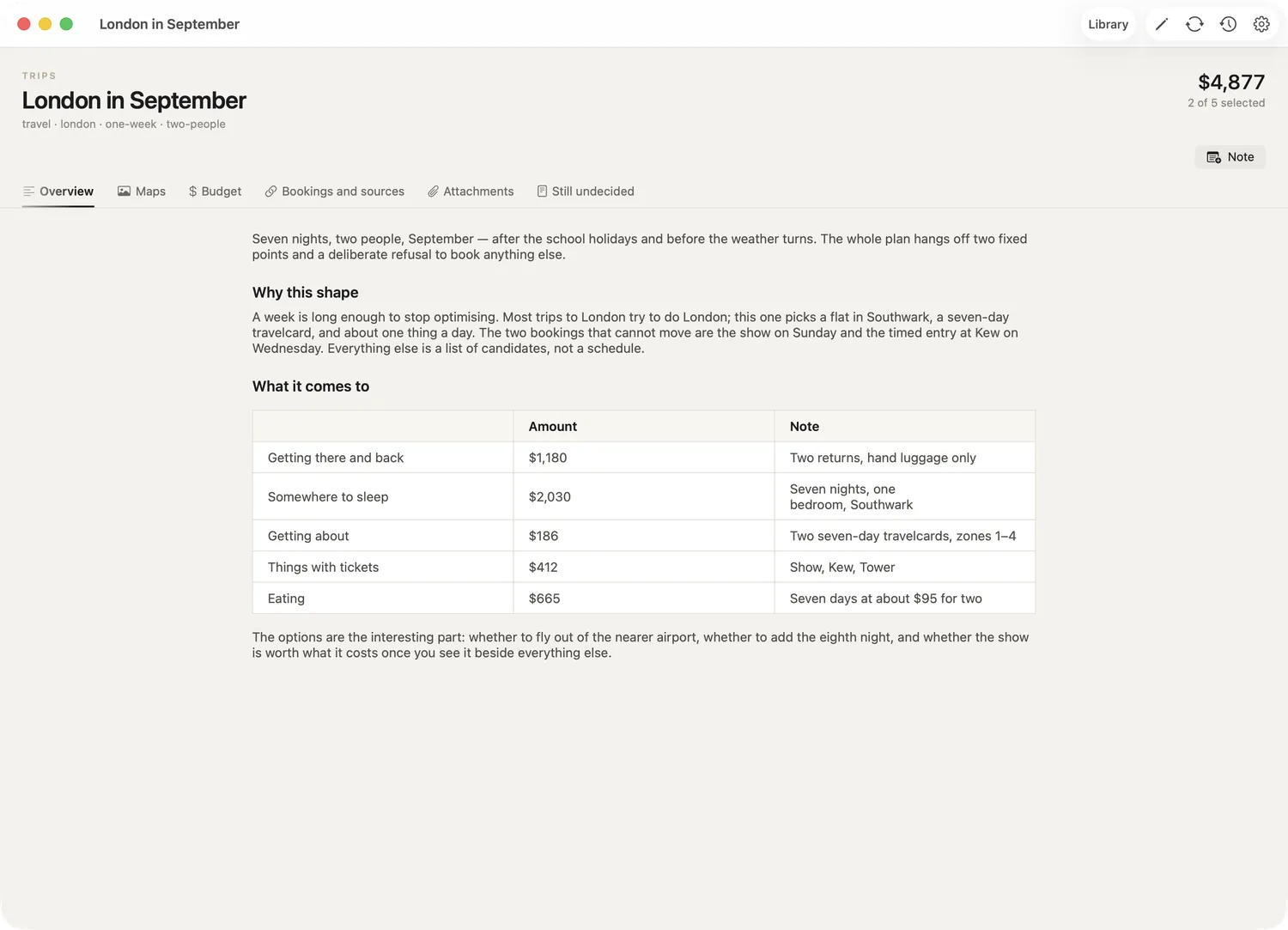
Overview
Markdown with tables, written like a document rather than filled into a form. The costs summarised at the top, the reasoning underneath.
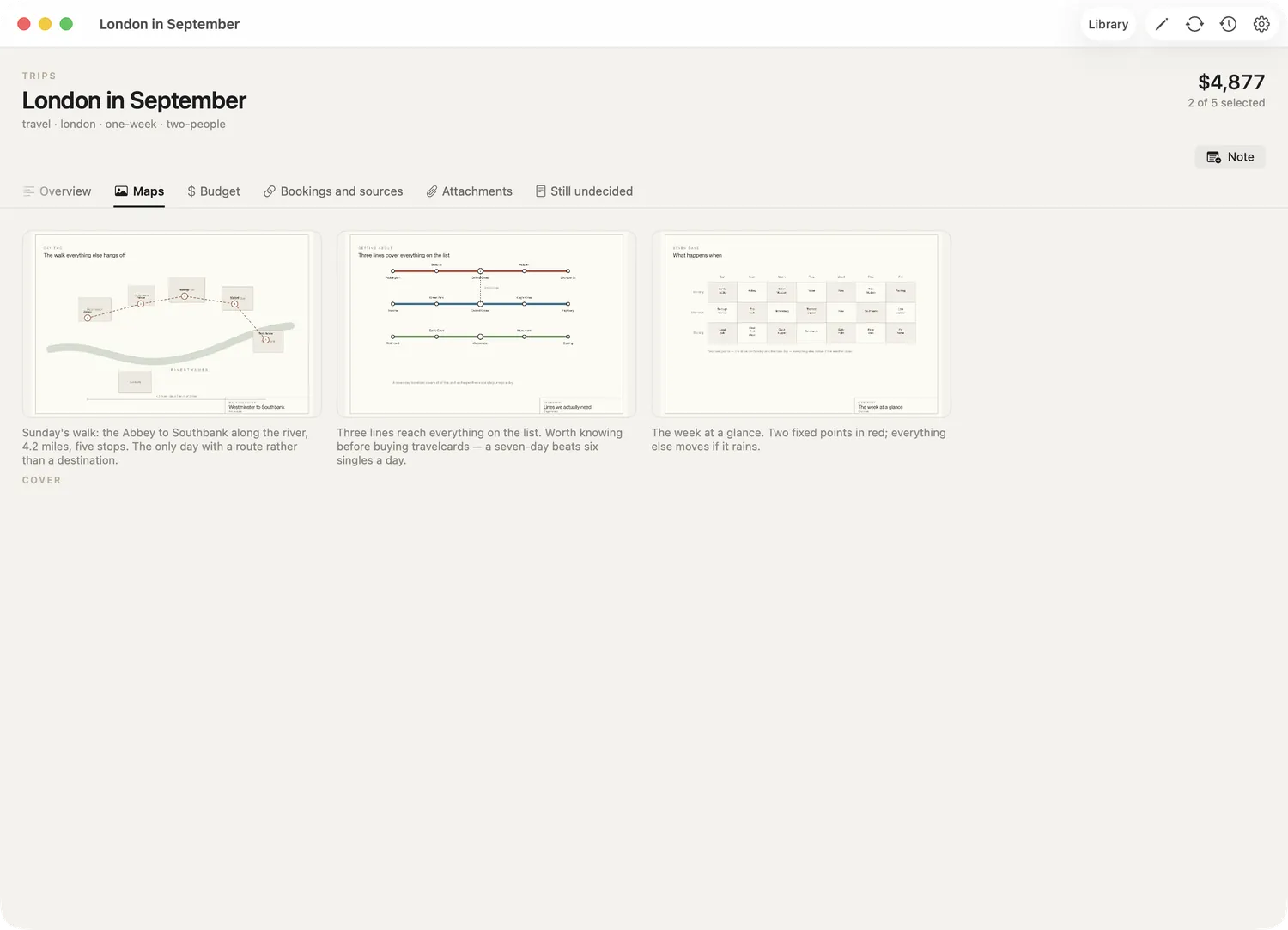
Drawings
Three maps with captions — the Sunday walk, the lines the week actually needs, and the seven days at a glance. Any of them opens full size.
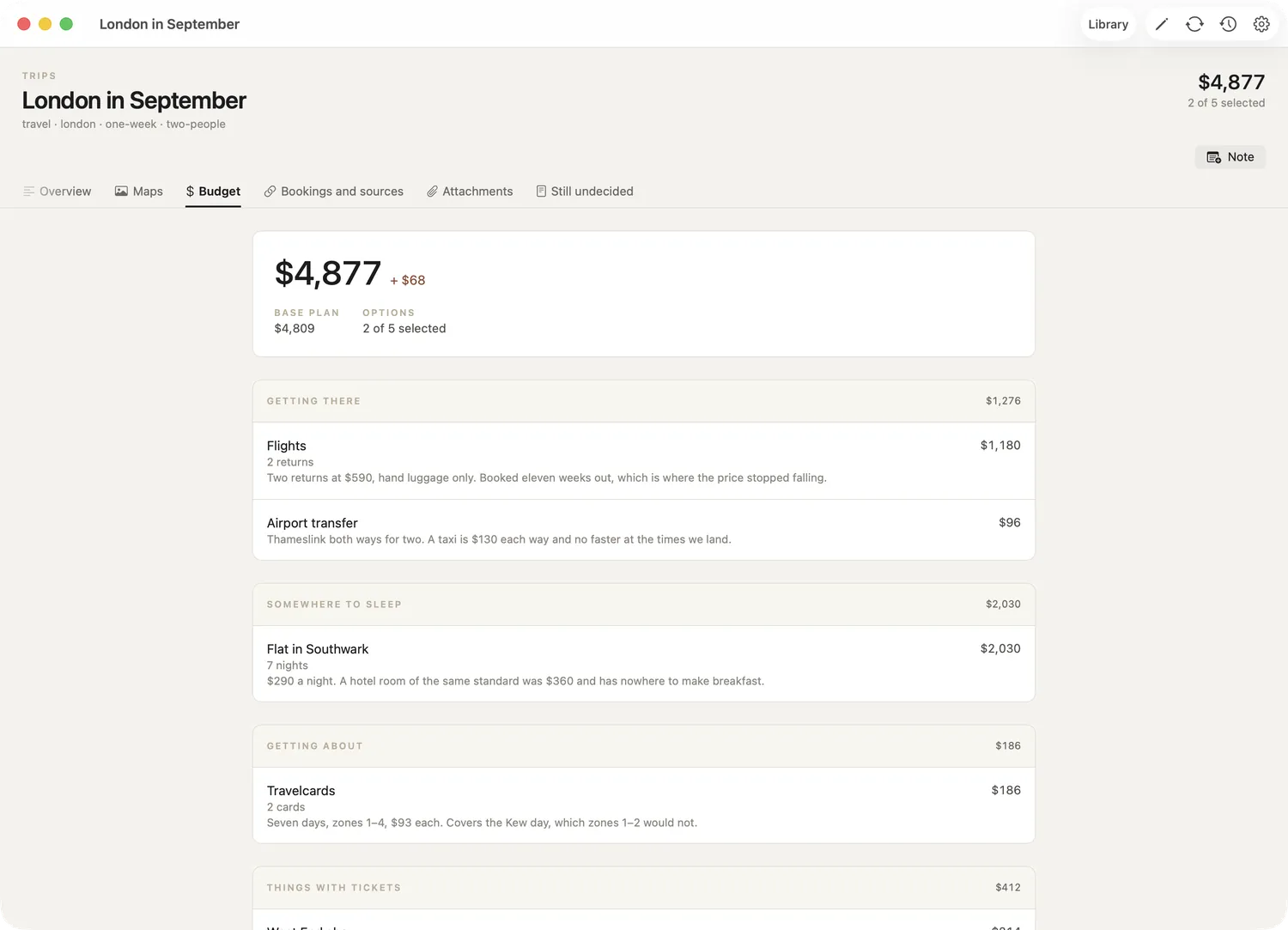
Budget
Categories band and subtotal themselves. Each line carries its quantity and the assumption behind the number: two returns at $590, seven nights at $290.
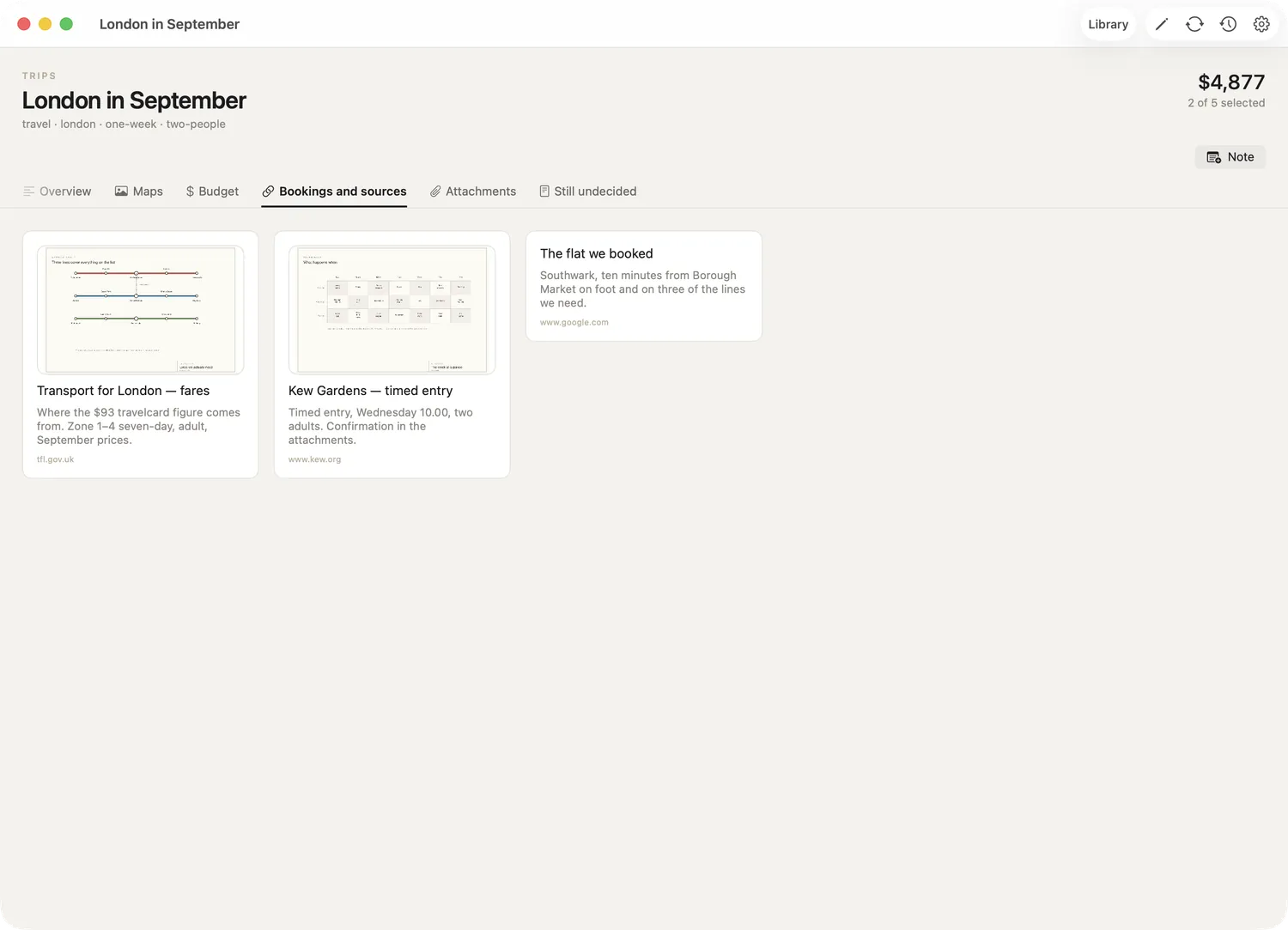
References
Where each figure came from, with a thumbnail. The travelcard price, the Kew booking, the flat — all one tap from the line that depends on them.
Garden shed
3.6 × 2.4 m · self-build · $3,980
A timber-framed shed on nine concrete pads, built over two weekends. Two constraints set every number: under 2.5 m at the eaves and more than 2 m from the boundary, which together mean no planning application.
Small enough that the phases are real rather than administrative — stopping after the second weekend leaves a weathertight shed with no shelves in it.
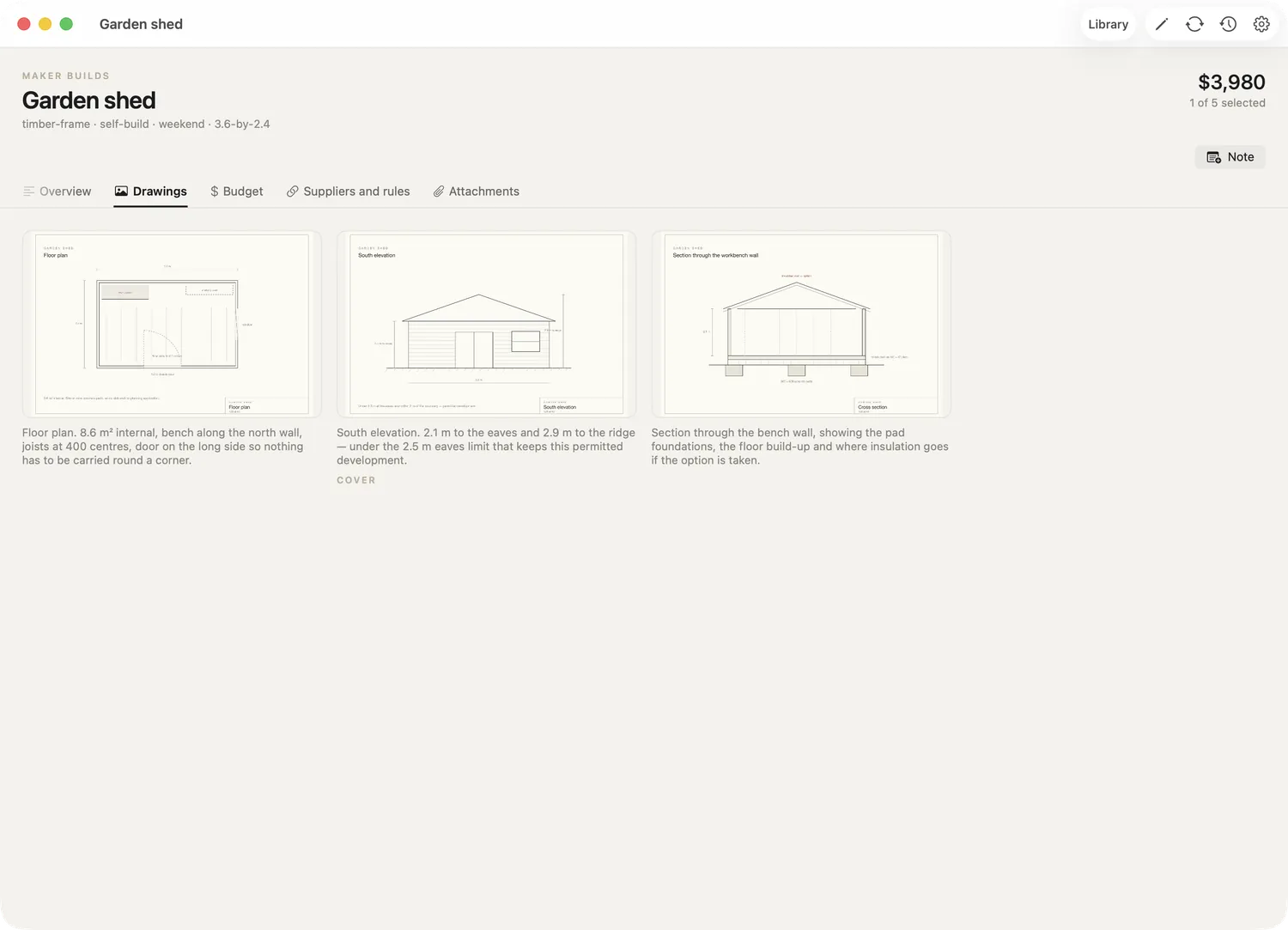
Drawings
A floor plan, an elevation and a section, each captioned with what it settles. One is marked as the plan's cover image.
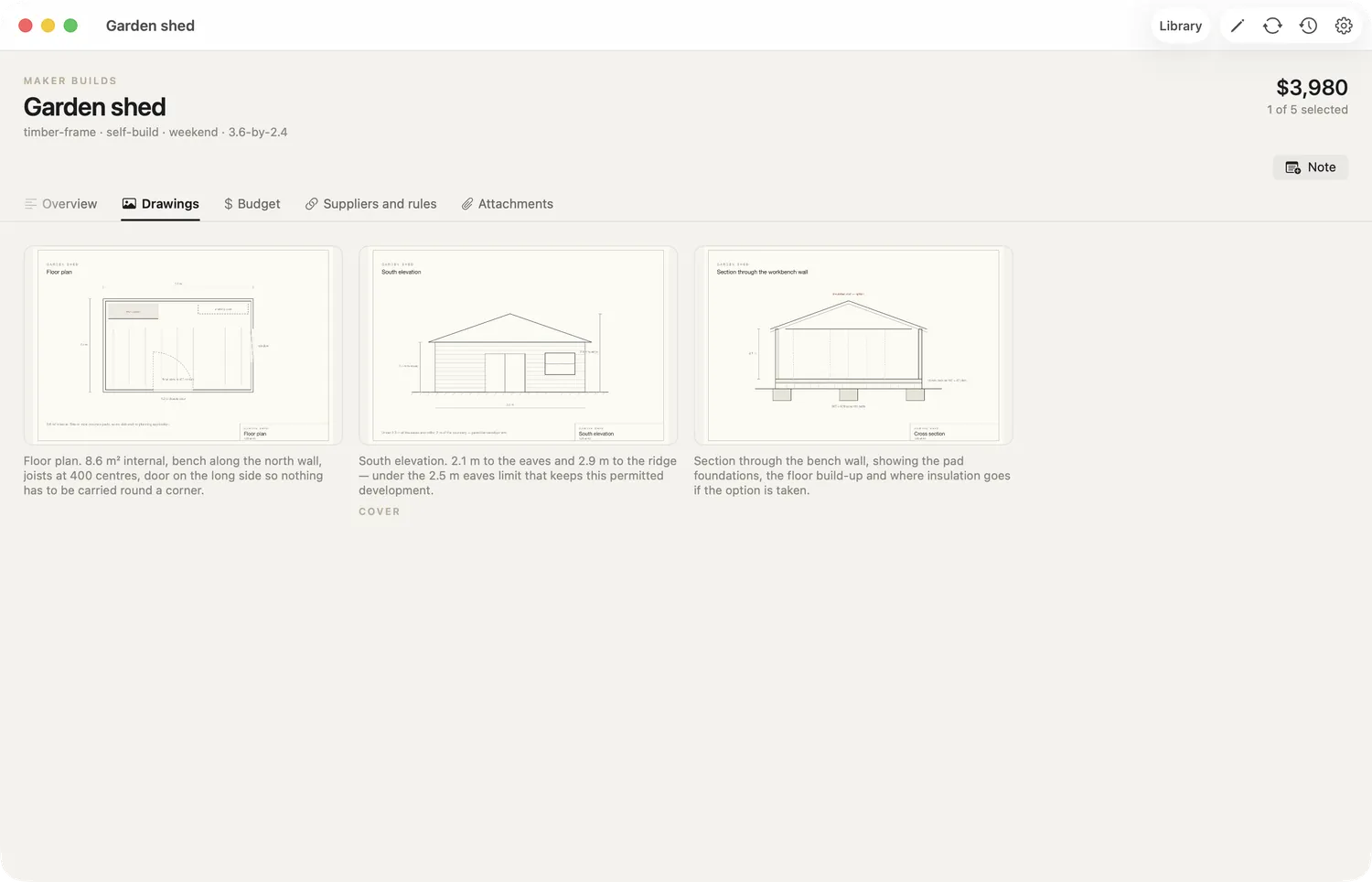
Full size
Any drawing opens to fill the window, with zoom, arrow keys and the caption kept beside it. Dimensions stay readable, which is the whole point.
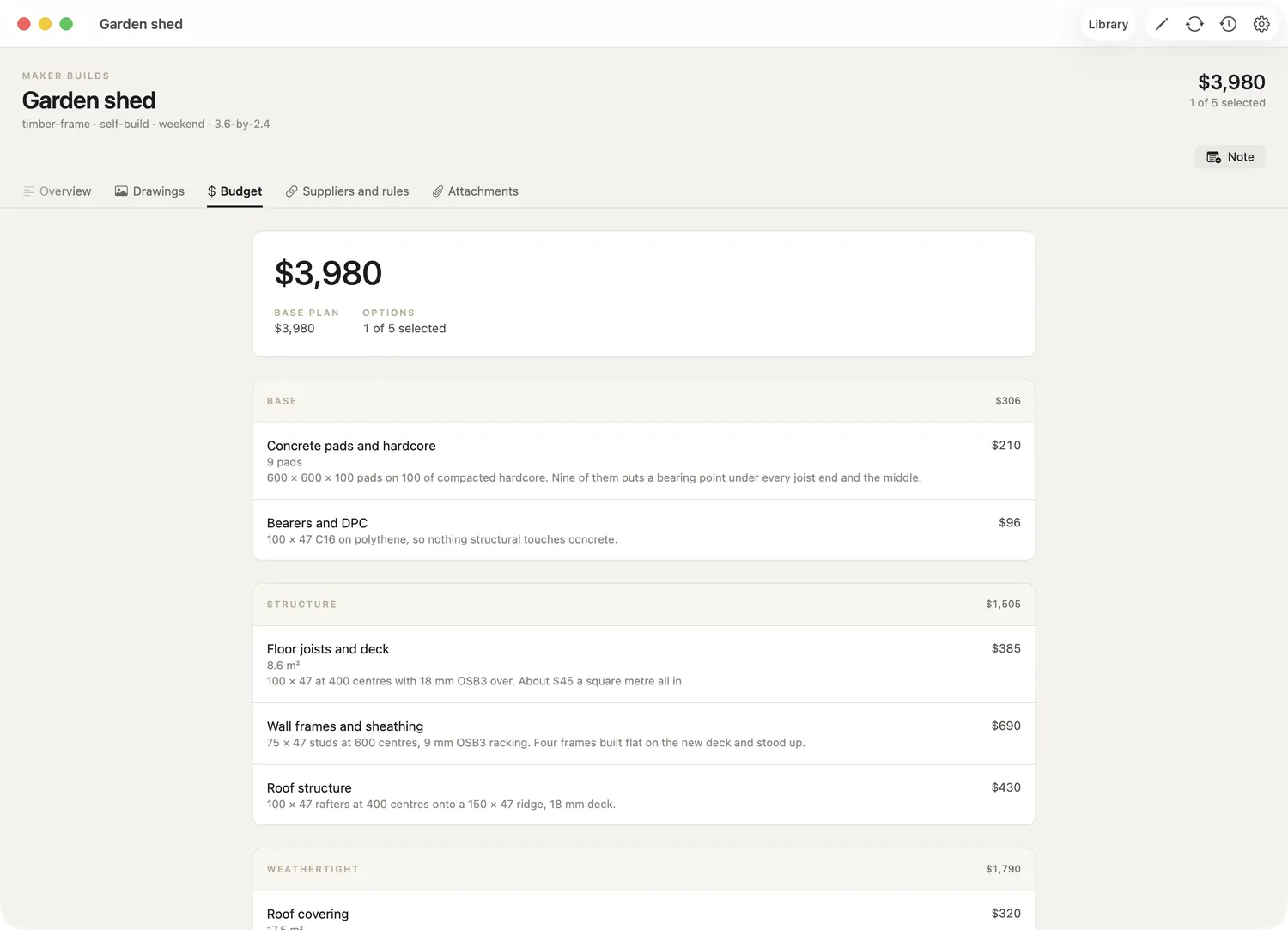
Budget and phases
Twelve lines in four categories, each assigned to one of three phases — base, frame and roof, fit-out — so each weekend totals on its own.
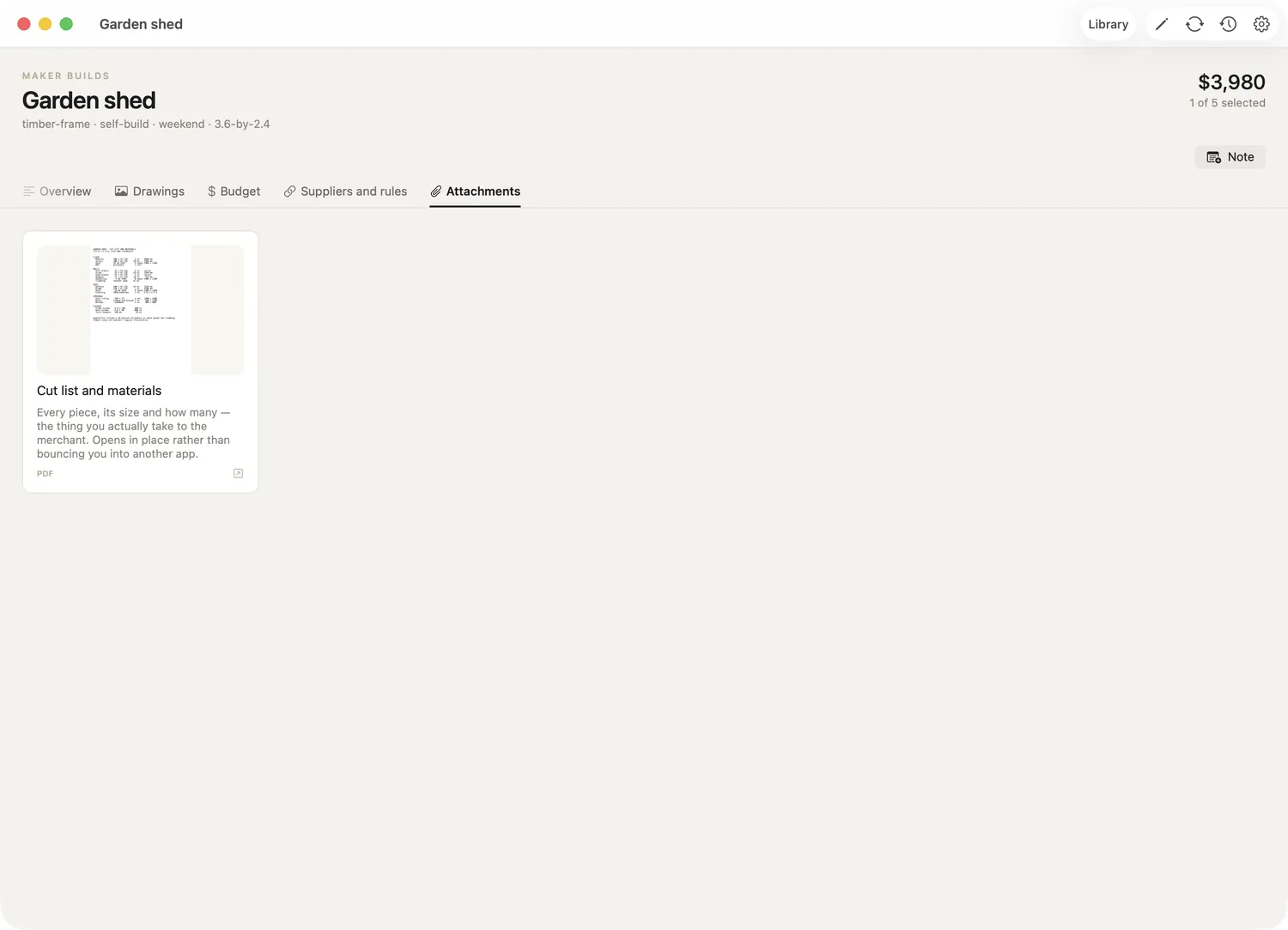
A document attached
The cut list travels with the plan. PDFs, spreadsheets and documents attach the same way and preview without leaving the app on iPhone and iPad.
Hopfield Brewing
Ten barrels · taproom · $1,890,000
A brewhouse and a taproom in the same room. One ratio decides the whole plan: a barrel poured across your own bar is worth about four times the same barrel sold to a bar across town.
The plan carries two complete schemes, its own brand site, and the canning question set up as alternatives — buy a line, or pay a mobile canner — so the total only ever counts one.
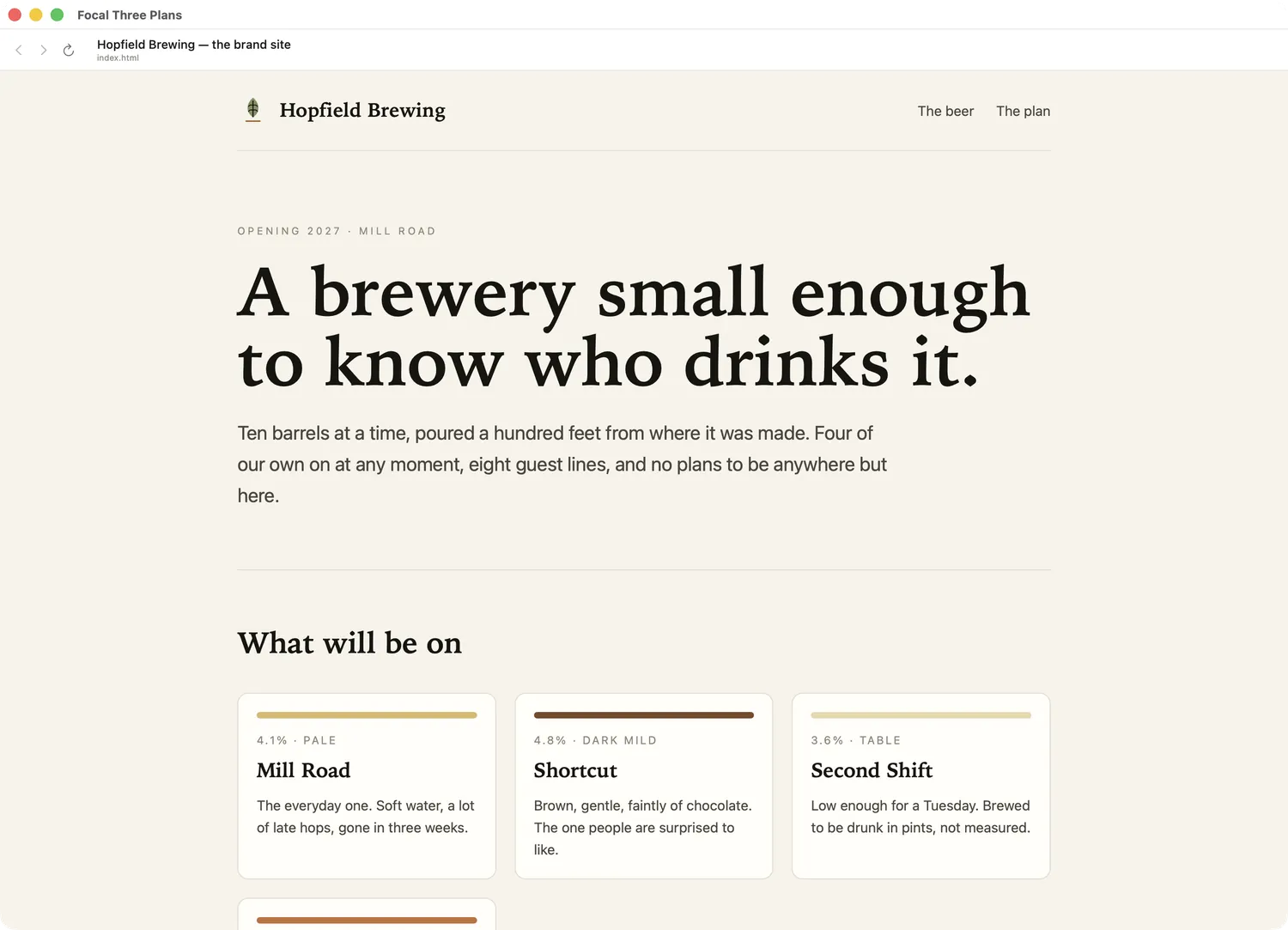
A whole website, attached
Not a link — the site itself, kept in the plan and opened inside the app, with back, forward and reload. Two pages and a stylesheet, so the brand and the numbers travel with the thing they describe.
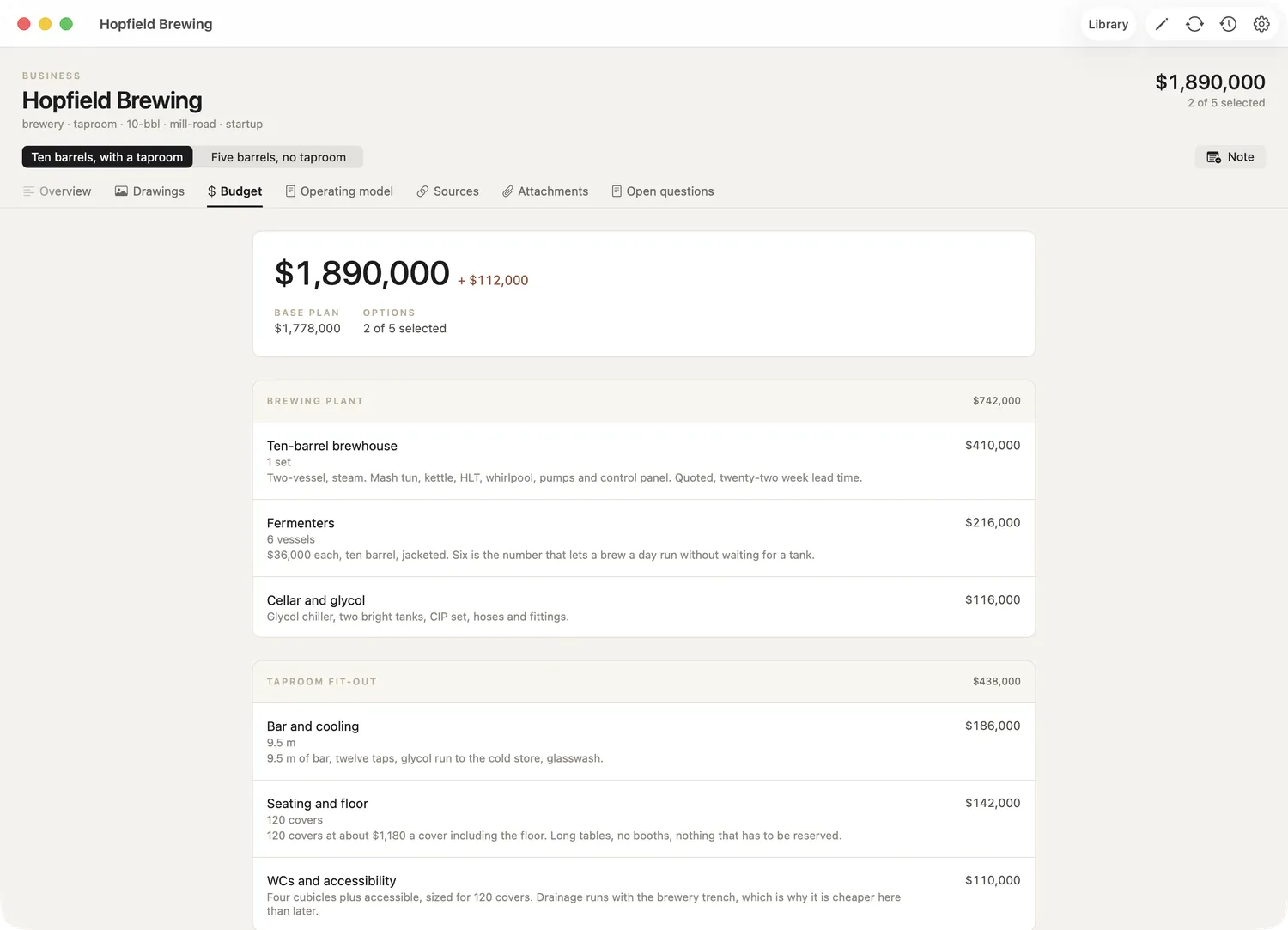
Two schemes at once
The picker at the top switches between variations: ten barrels with a taproom, or five without. Each is a complete plan with its own budget, not a copy of a file.
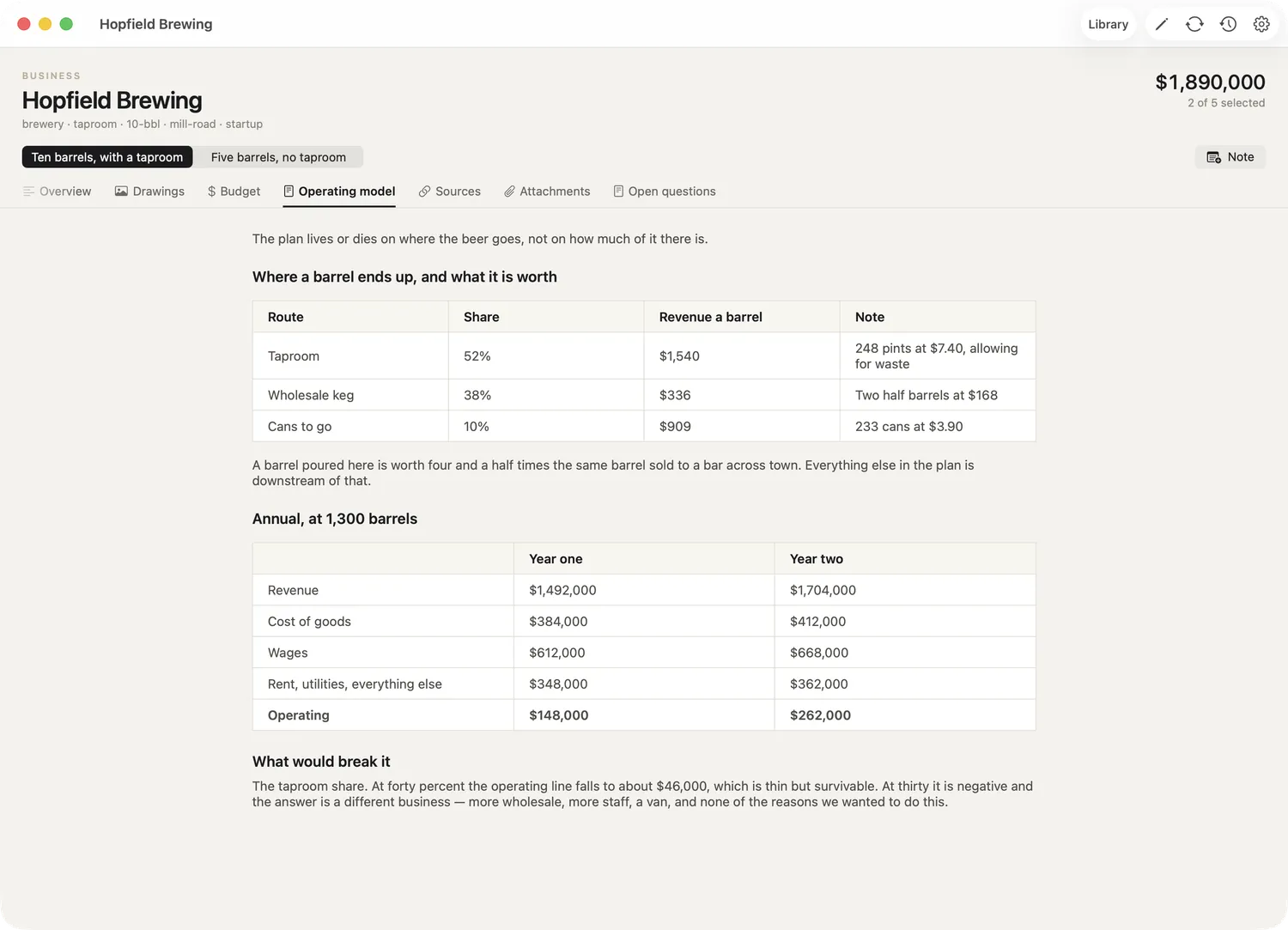
The reasoning
A free-form section with the operating model in tables — where a barrel ends up, what it is worth, and the one assumption that would break the plan if it were wrong.
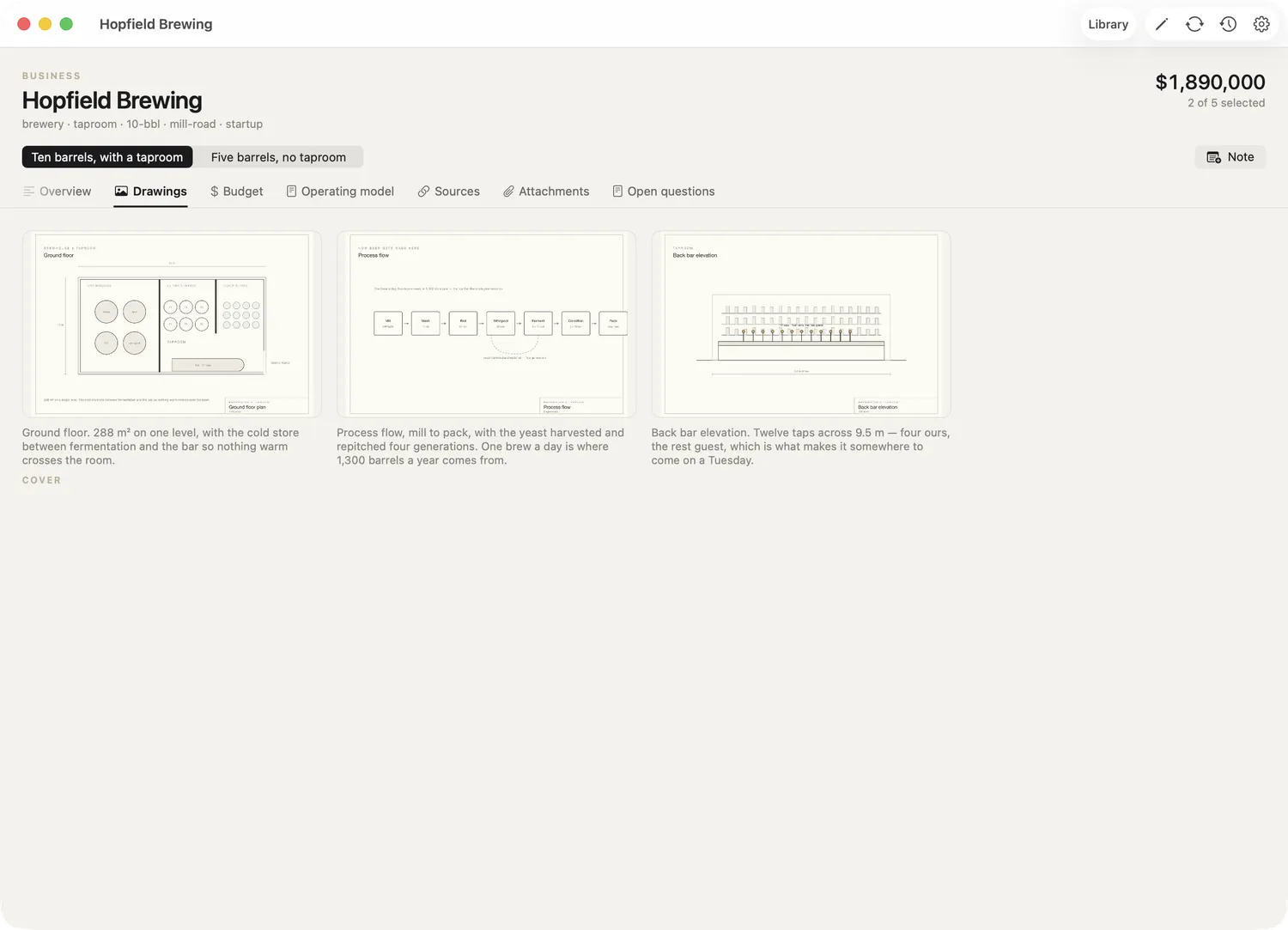
Drawings
A floor plan, the process flow from mill to pack, and the back bar. Diagrams count as drawings; the app does not care what is in the image.
Everything in these three plans is invented — the figures, the drawings and the businesses. No client work appears anywhere.
Your files
Plain files, in a place you own.
A plan is text and images kept somewhere that belongs to you — a git repository on your own GitHub account, or a folder on your own Google Drive. There is no account to make with us, and no server of ours holding your work, because there is no server of ours.
Readable without the app
Markdown and JSON in ordinary folders. If this app disappeared tomorrow, the plan would still open in any text editor.
History that reads as decisions
Every edit is a commit with a message. Not a list of saves — a record of what changed and why, that you can read back months later.
Sync between your own devices
iPhone, iPad and Mac read the same store, whichever you chose. Credentials travel through iCloud Keychain, so you set them up once.
Nothing collected
No analytics, no advertising identifier, no third party watching. The only thing the app talks to is the store you pointed it at.
Working with an assistant
On the Mac, an assistant can do the typing.
Focal Three Plans can hand a plan to a coding assistant running on the same Mac — folding your notes into the right section, pricing a scope from a spreadsheet you dropped in, writing up how a figure was reached. It is genuinely useful for the tedious half of planning: the transcription, the reconciliation, the working-out.
It connects over your own computer only, never the internet, and it needs a token the app generates. Everything it does arrives as ordinary commits with messages, so you review its work the same way you would review anyone's.
How it works
- Open Settings → Agents and copy the local address the app is listening on.
- Add it to your assistant's configuration. The app can write that configuration for you.
- Ask for what you want. Review the commits it made.
This is optional. The app is complete without it, and the iPhone and iPad versions do not run a listener at all.
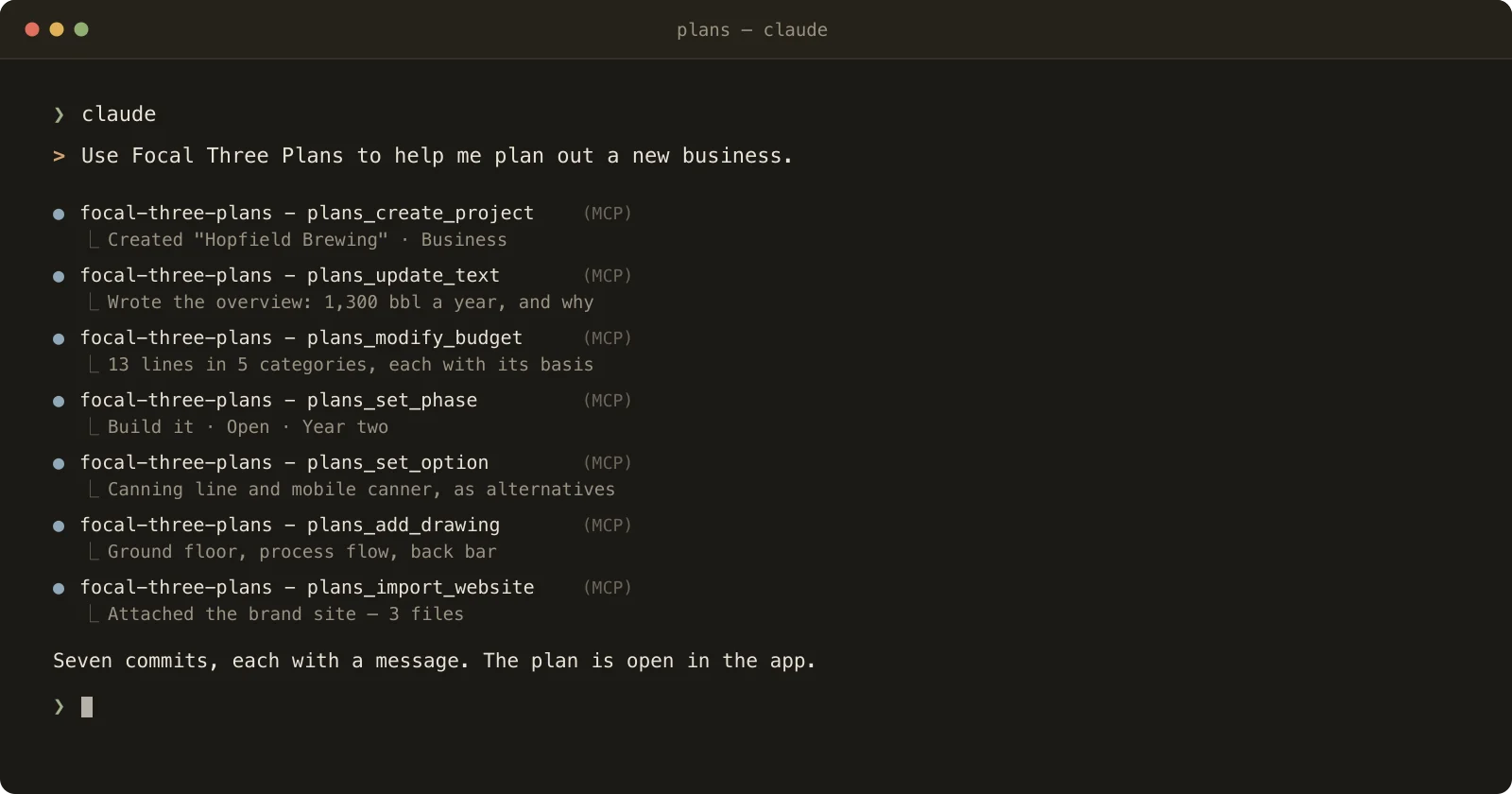
From a pile of notes to a priced plan
The tedious half of planning is transcription and arithmetic — your notes, a quote, a spreadsheet, turned into scope, categories and figures. Hand that over and get a plan back in minutes rather than an evening, with the reasoning written under every number. Then argue with it, which is the part only you can do.

On the App Store
Focal Three Plans
Write a plan, price it, and keep the reasoning beside the figures. Built natively for iPhone, iPad and Mac, storing your work in a repository or folder you own.